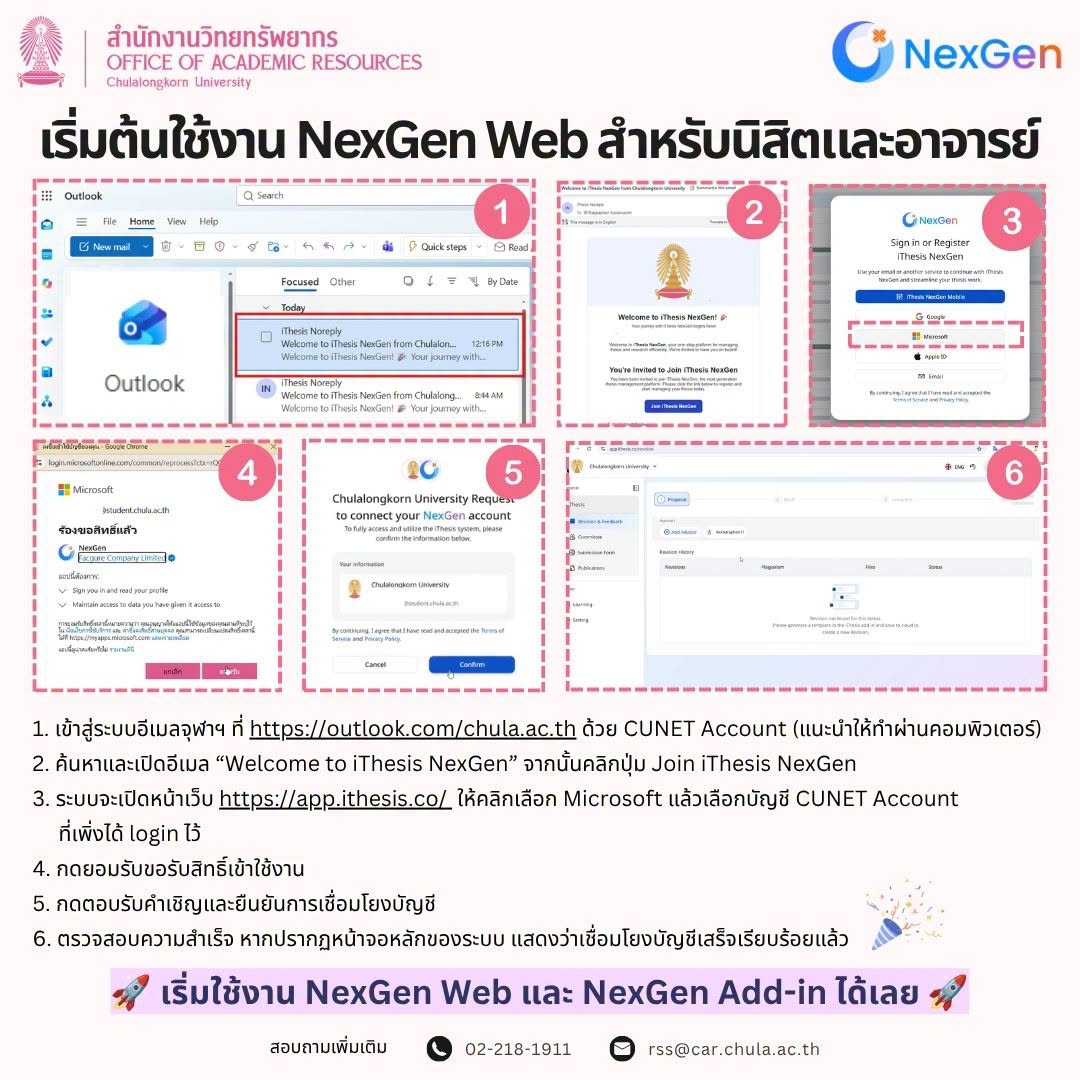

ขั้นตอนการเริ่มต้นใช้งาน NexGen Web สำหรับนิสิตและอาจารย์ เพื่อการใช้งานระบบ iThesis NexGen อย่างสมบูรณ์ นิสิตและอาจารย์สามารถเริ่มต้นเข้าใช้งานระบบ NexGen Web ตามขั้นตอนง่าย ๆ 6 ขั้นตอน ดังนี้ค่ะ
📌 ขั้นตอนการเข้าใช้งาน:
1. เข้าสู่ระบบอีเมลจุฬาฯ ที่ https://outlook.com/chula.ac.th ด้วย CUNET Account (แนะนำให้ทำผ่านคอมพิวเตอร์)
2. ค้นหาและเปิดอีเมล “Welcome to iThesis NexGen” จากนั้นคลิกปุ่ม Join iThesis NexGen
3. ระบบจะเปิดหน้าเว็บ https://app.ithesis.co/ ให้คลิกเลือก Microsoft แล้วเลือกบัญชี CUNET Account ที่เพิ่งได้ login ไว้
4. กดยอมรับขอรับสิทธิ์เข้าใช้งาน
5. กดตอบรับคำเชิญและยืนยันการเชื่อมโยงบัญชี
6. ตรวจสอบความสำเร็จ หากปรากฏหน้าจอหลักของระบบ แสดงว่าเชื่อมโยงบัญชีเสร็จเรียบร้อยแล้ว 🎉
❓ หากพบปัญหาในการใช้งานหรือมีข้อสงสัยเพิ่มเติม สามารถติดต่อสอบถามได้ที่:
📞 โทร: 02-218-1911
✉️ Email: rss@car.chula.ac.th
=====================================
📢 [Announcement] iThesis NexGen is Ready for use!
Getting Started with NexGen Web for Students and Faculty
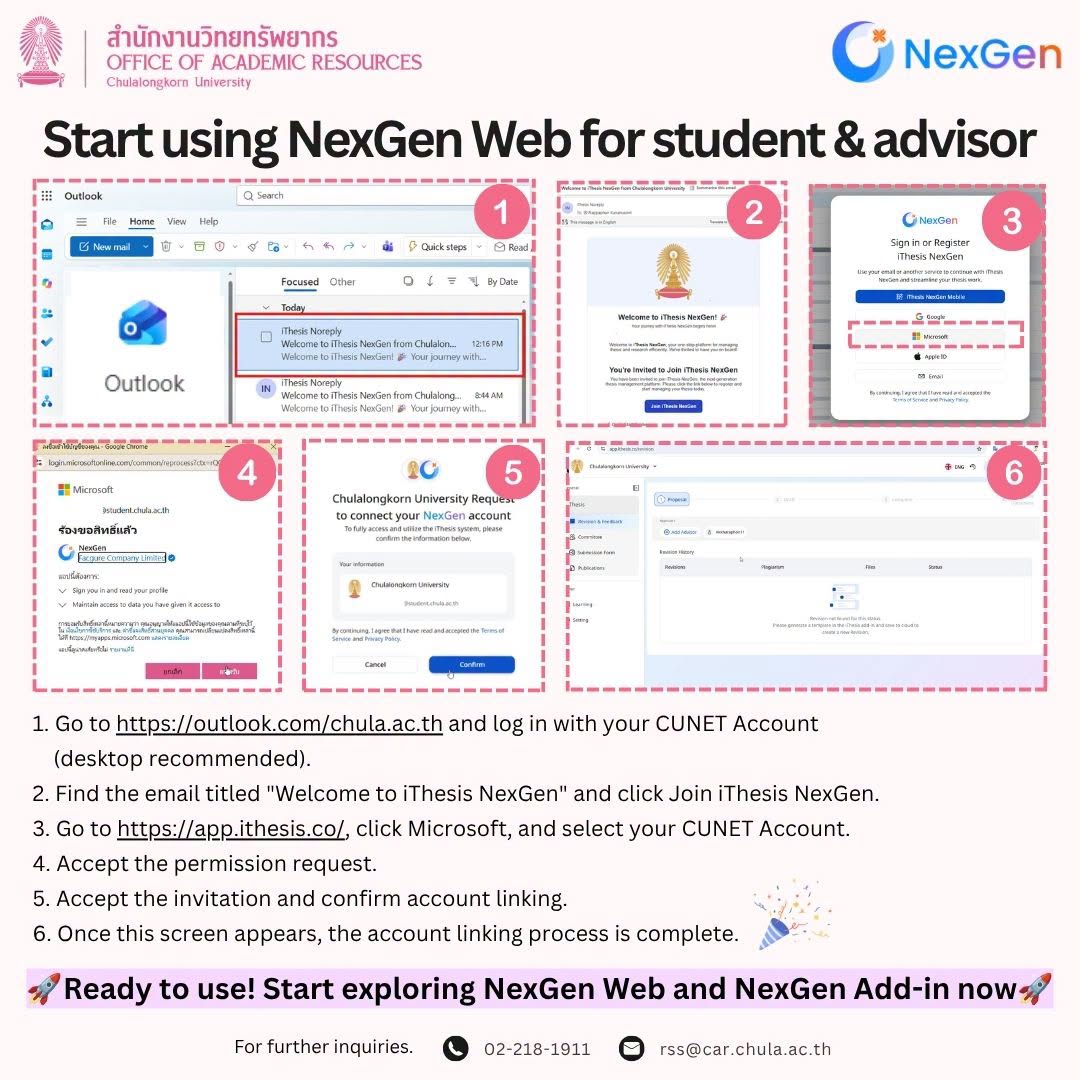
To ensure seamless access to the iThesis NexGen platform, students and faculty members can easily complete the initial setup on NexGen Web by following these 6 steps:
📌 Step-by-Step Guide:
1. Go to https://outlook.com/chula.ac.th and log in with your CUNET Account (desktop recommended).
2. Find the email titled “Welcome to iThesis NexGen” email and click Join iThesis NexGen.
3. Go to https://app.ithesis.co/, click Microsoft, and select your CUNET Account.
4. Accept the permission request.
5. Accept the invitation and confirm account linking.
6. Once this screen appears, the account linking process is complete. 🎉
❓ Need Help or Experiencing Issues? Feel free to contact our support team at:
📞 Tel: 02-218-1911
✉️ Email: rss@car.chula.ac.th
·